Showing posts with label Netbooks. Show all posts

Saturday, December 19, 2009

Linux Netbook Use Case: EVDO/Wifi Firewall to protect your "Big Company" XP Laptop

So if you've used any large enterprise XP image you know they are awful.

The larger the company, the worse the build. They are slow. They crash all the time. They have a zillion agents running doing God knows what and they probably have the firewall disabled.

But you want to do the "right thing" and actually follow policy and NOT put Linux on the lovely Dell hardware they give like you used to do "back in the day."

And you don't want to run these in a coffee shop or an untrusted network. But I feel reasonably safe about running my Ubuntu S10-2 in relatively hostile environments.

Because most modern NICs (including the Broadcom's in most Atom-based netbooks) have auto-MDX so you can just directly plug in your laptop into the unused Ethernet on your Netbook after doing the following:

1) Configure a static address on the eth0 in (/etc/network/interfaces) making sure it is not an network you actually use (DOH!)
2) Make the appropriate change to sysctl.conf (if you have to ask...)
3) Install dnsmasq for DNS and DHCP (an apt-get away)
4) Add whatever iptables rules you want to rc.local (or run manually because if the ppp0 interface is not up it may not work)

Sometimes I share over the Wifi others I use my EVDO card.

Bottom line: it just works.

Bonus: you get to see whatever the hell all those pesky agents are doing when they phone home to your corporate network over the Internet.

Friday, September 11, 2009

Mortal Netbook Sins (or, why is it impossible for vendors to get it right?)

So I'm typing this on my (well, actually my wife's) Lenovo S-10, who I admit that I covet. She inherited it after her Powerbook G4 12" (actually my favorite laptop of all time) suffered at the hands (or paws) that typically does in laptops in our household.

Even though my two main laptops (a T-61 and a Dell E6400) are both 14.1" and smallish, I still miss the two pound form-factor and the small screen/keyboard, so I've been agonizing for a while whether or not and which one should be my 2nd Netbook purchase. It should be easy, since there are literally around 50 different models on the market. But it isn't.

The Ideapad S-10 is by no means perfect (the keyboard is too small, it only has 2 USB ports and I don't use the express card slot) but compared to what is available at Best Buy, it is hard to beat. But as I've been comtemplating getting another Netbook that I want but really don't need, here is the dogma:

By far the most damning flaw, the one that cannot be reconciled ever, is an unusable touchpad and buttons. This basically removes any of Dell's offerings because they cut corners and implemented a single, rocker-style button, and the touchpad itself is awful, jumpy, and could. I actually. The Asus 1005HA is not terrible but not great either.

The second abomination is the battery bulge. As Netbooks have added 6 and 9 cell battries they have added a rear bulge that sticks straight out to the rear of the laptop. The S12 and S10-2 with the larger capacities succumb to this temptation. As well as many others.

The third sin is the appearance of cheapness. All of these systems are cheap but they should appear so. The Gateway 3103 falls prey to this. It also runs Vista and is not Linux friendly, taking it out of consideration.

A last fatal flaw is price. It should be below $350. Period. A $400 netbook makes no sense given their underpowered components, especially since I can get a T400 for right around $750, as my total credit card bill reaches $500 it makes no sense to considor an Atom processor when I can get the real thing for a few hundred dollars more. this rules out the Sony and Toshiba models

Not a showstopper, but definitely a flaw, is the inability to customize and lack of a two year warranty. Basically this means you are left with Lenovo or HP, since to the vast majority of vendors do not allow you to build custom systems with only the size of the battery.

Notice what I left out: sound, keyboard, screen, ports, ease of upgrade. None of these really matter if the essentials are met.

So right now I'm not sure, but the two choices I'm considering is a 3-Cell, Lenovo S-10-2 and an HP Mini XP with the higher resolutions 1366x768 display. Both meet all these criteria, so we'll see if I give in to temptation and place an order this weekend.

Monday, June 22, 2009

First Impressions: HP Mini (Best Buy Style) vs. Lenovo S10

So I picked up whatever the model of the HP Mini that they sell at Best Buy for $329 (the 10.1 model with a 16GB flash drive) for my mother with the goal of installing Ubuntu, since she the one family member that I've successfully converted from Windows.

Keyboard - the larger keyboard of the HP Mini's are well known. You can definitely tell the difference with the larger keys in that it allows more natural touch typing but the feel is spongier. About what you'd expect from a consumer laptop. The arrow keys are smaller size that all the other keys which is very annoying. It is difficult to see the special keys since they are light grey. On my white Lenovo they are blue so it is much easier. Overall the action is much crisper on the Lnovo

Ubuntu Netbook Remix 9.04 installation - Installation took slightly longer, I assume due to the flash drive, but the OS upgrade too so longer (scrollkeeper was pegged at 100%) I killed gdm and went into the console and did the apt upgrade's there which seemed to work better. Still really slow. Hangups at upgrade of synpatic and other packages. I assume this is all do to the flash drive. There is also a known bug in the sound support. No sound through the speakers. Haven't tried a headphone.

Wireless - Even though both use the same Broadcom chipset I had more problem with the Mini. It connected to 1/3 of the networks I tried (a WPA2 for my Verizon Westell DSL modem) but not successfully with an HP 420 WPA access point or a Cisco 851W that was wide open. Perhaps I had L2 ACLs on the latter, not sure.

Ethernet - the RJ-45 port is plugged by default. The Mini appears to use a Marvell driver (as opposed to the Reatek used most other Netbooks). I could not get a lease and was getting PHY errors.

Touchpad - the buttons are on the side which are really annoying but I could probably get used to them. But the touchpad is definintely better than the Dell Mini 10. I prefer the buttons on the buttom that are much crsiper.

Screen - the 576 vertical resolution is definitely a pain since 600 of most Netbooks is too small. The screen seems somewhat brighter than the Lenovo.

Ports & Form Factor - these I knew about so wasn't suprised. No VGA. Ethernet is plugged. Two USBs (like the Lenovo). It is too narrow, IMHO. Sitting side by side the top of the screen is a full 3/4" shorter than the Ideapad. These sacrifices are needless in my opnion because it makes the form factor too small and thin.

Upgradeability - RAM bay is easy on the back, takes up to 2GB but you have to remove the keyboard to upgrade the drive.

Noise: It is definitely seems quieter that the Lenovo. Not sure whether it is the driver or the fan.

Bottom line: I've very happy with my Lenovo even though it hurts my hands and the keyboard is small. Overall Linux runs much better. I don't see the need for a slow (if quiet) flash drive. The form factor of the Mini is just too weird for me. The Ideapad feels like a small version of a real laptop.

Thursday, June 11, 2009

Are 6 cell batteries ruining Netbooks (or why you should return your Dell Mini 10)

So based on these pictures of the new Lenovo S-10-2 it looks like the S-10-2 which otherwise looks like a winner, has the same ugly, bulky, downward-extending battery as the Dell Mini-10, which my parents ended up not liking (and hopefully will be able to return)

Here are my beefs on the Dell Mini-10 (with Ubuntu) most which relate to the touchpad:
  • Given that it is Ubuntu 8.04 the Xorg (synaptics) touchpad driver is not the same as in 9.04 and it is impossible to make the touchpad usable, despite all the tweaking of the mouse settings. This may be both a software as well as a hardware issue but it is does not bode well for Linux.
  • The touch pad and mouse buttons are all-in-one. It is nearly impossible to click.

As I would expect from Dell, sloppy engineering shortcuts, both in hardware and software.

And now Lenovo only sells the S10-2 with these bulky 6-cell monsters and has the ugly shiny finish.

Saturday, June 06, 2009

Netbook Broadcom (43xx) Cards with Debian Lenny


So with Ubuntu 9.04 (and possibly earlier) the Broadcom Wireless NIC in your Netbook (mine happens to be a Lenovo Ideapad S10) should just work. But obviously this will not happen with Debian 5.0. Because very little in Debian just works.

So the first thing to know is to ignore an articles such as these that tell you to mess with firmware. Also ignore whatever is on the Debian.

You do NOT have to use the fwcutter tools. Do it this way.

First, install your kernel headers (I use an OpenVZ kernel)

# apt-get install linux-headers-`uname -r`

Download the module source for the Linux STA driver from Broadcom.

Create a directory and uncompress the tarball (mine was hybrid-portsrc-x86_32-v5_10_91_9.tar.gz)

debian-s10:~/bc# pwd
/root/bc
debian-s10:~/bc# ls
built-in.o Makefile src wl.mod.o
hybrid-portsrc-x86_32-v5_10_91_9.tar.gz modules.order wl.ko wl.o
lib Module.symvers wl.mod.c

The above is what you should see when you after you compile the module using the step below. Execute the command below from wihtin the directory that has the Makefile

# make -C /lib/modules/`uname -r`/build/ M=`pwd`

The resulting module you care about is wl.ko (assuming you have the ieee80211 module installed you will be able to insmod this and see the following in dmesg)

[  922.523743] ACPI: PCI Interrupt 0000:05:00.0[A] -> GSI 18 (level, low) -> IRQ 18
[ 922.523997] PCI: Setting latency timer of device 0000:05:00.0 to 64
[ 922.622849] ieee80211_crypt: registered algorithm 'TKIP'
[ 922.623123] eth1: Broadcom BCM4315 802.11 Wireless Controller 5.10.91.9
and with a lshw

description: Wireless interface
product: BCM4312 802.11b/g
vendor: Broadcom Corporation
physical id: 0
bus info: pci@0000:05:00.0
logical name: eth1
version: 01
serial: 00:21:00:7e:7a:7d
width: 64 bits
clock: 33MHz
capabilities: pm msi pciexpress bus_master cap_list ethernet physical wireless
configuration: broadcast=yes driver=wl0 driverversion=5.10.91.9 ip=192.168.1.24 latency=0 module=wl multicast=yes wireless=IEEE 802.11bg

so I modified /etc/modules so that it looks like

# /etc/modules: kernel modules to load at boot time.
#
# This file contains the names of kernel modules that should be loaded
# at boot time, one per line. Lines beginning with "#" are ignored.
# Parameters can be specified after the module name.
loop
ieee80211

So that ieee80211 gets loaded and then added the following line to my rc.local file (before the exit 0, obviously)

insmod /usr/local/lib/modules/`uname -r`/wl.ko

After copying the module there and creating the directory (remember mkdir -p is your friend)

Now NetworkManager should work just fine. And WPA2 worked just fine with my crappy Westell AP.

I tried putting in somewhere in lib/modules/`uname -r` with no luck, but this works for me...

* * *

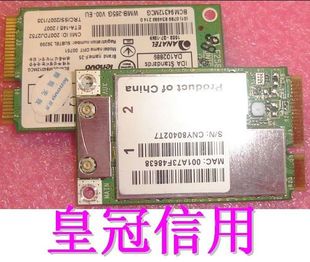
NOTE: Don't click on the image PCI Express Card image. It contains Chinese Ghostnet Malware that will turn your Mac (and only your Mac) into a Zombie botnet enabling a complete blackout or extortion of the power grid.

Additional keywords: NERC, FERC. SCADA. Project Grey Goose. Cyberwar. ISN. TASE.2

Best Linux Virtualization for Netbooks?

So I use my Lenovo Ideapad S10 as my main Linux box nearly 40% of the time. I've 1.5GB of RAM and 120GB drive so this a decent machine. My current setup is two Linux partitions, one for Ubuntu 9.04 and the other for Debian 5.0. Ubuntu is my production distro and Debian is for bleeding edge stuff. My main requirement is to run Linux VM's (of other distros than what I run on the host) because if I need to run Windows or Solaris or whatever I can connect to a remote system. For Linux systems I want "server virtualization" meaning I don't have to have a console up. Realistically there is no single solution that will meet my requirements, but here are my thoughts on the alteratives for running on a Linux Atom-based Netbook.

1) OpenVZ - this would be my first choice. Unfortunately there are only kernel for Ubuntu 8.04 LTS and Debian for the these and Ubuntu LTS is too old to work well for a desktop on netbooks. I have yet to get the Broadcom drivers working yet on Debian and the latest stable OpenVZ kernel patches are 2.6.18. I guess the real issue is if I could get the Broadcom drivers working on the stock kernel that would be the way to go.

2) VMware Player - I don't want to put VMWare Server 2.x on my laptop and this seems like the logical choice. I already have this for BSD or Windows.

3) lguest - this is something new that I've just discovered. Can I run a CentOS VM under this. Not sure.

I don't care for VirtualBox and Qemu is too damn slow. Is there anything else I'm missing?

Sunday, January 25, 2009

Another Post-Twitter Poor Excuse for a Blog Entry

After getting hooked on Twitter, I really don't blog anymore (but in the tradition of Luv Them Firewalls, another picture of my my daughter on our now defunct Macbook) here was a picture tonight. Was barely able to get her unglued from Gcompris. It is funny how kids get attached to certain items of clothing. This year it was this Santa hat. Back in Austin it was this pink pair of snow boots.

Wednesday, December 17, 2008

Lenovo Ideapad S10 it is


Well I did my small part in propping up post-late-capitalism-2.0 by purchasing necessary consumer electronics devices, by finally ordering an Ideapad S10 Netbook (512MB/80GB) I think it was a black one, can't remember.

A number of stars aligned and it was a tossup at the end because there was Dell Mini-9 package for around $410 with 8GB SSD with Ubuntu and I really wanted to support a vendor that preinstalled Ubuntu (because I will be running it afterall) but here are the reasons I went with the Lenovo:
  • I hate Dell Laptops, although the M4300 I'm using right now is tolerable but I love my Thinkpad T-61. I had positive experiences with Lenovo support, the unknown of Dell support scares me. They don't call it "Dell Hell" for nothing
  • Expandability - the Lenovo case is really easy to pop open and the drive is a SATA, so I can pop in the 120GB from my wife's dead MacBook. And I can wait until prices some down on SATA SSD's. I think the 1GB stick from the MacBook should work, too. Dell just has 1 SODIMM slot. PCI-Express port., probably more for a SSD than wifi since I have a USB, although the 2 USB ports could come back an bite me.
  • Price - with the Lenovo Corporate discount, it was $30-40 cheaper.
  • Aesthetics - Lenovo is boxy with a matte finish vs. rounded and shiny. Looks more professional
  • OS/Storage - I can install my Own Damn Linux and it is not a bad thing to have another OS with XP on it. It will be interesting to see how lame the Atom is, but the larger hard has the potential of making it usable as a real computer (or so I think) vs. only as Linux netbook. I will either dual boot or pop in a new drive.
  • Screen Size - 10" vs. 8.9 with my eyes really blurry right now I need every larger pixel I can get.
The battery life is going to suck compared to the Mini-9 but there is a 6-cell that is available.

Saturday, December 13, 2008

Major Vendor Netbook Pricing Showdown

I've been longing for a Netbook for a while and am still watching craiglist like a hawk as well as pricing from Netbook vendors.

  • HP Mini HP 1000/1GB Ram/8GB SSD with 2 year warranty (WinXP obviously) - $459
  • Dell Inspiron Mini 9/512GB/8GB SSD with 2 year warranty (Ubuntu) - $463
  • Lenovo S10 IdeaPad/512GB/80GB SATA with 2 year Warranty (XPSP3) - $408
I'm sort of anal about getting warantees on laptops and I don't trust Acer, Asus, etc.

Ubuntu reportedly runs on these, but the Lenovo looks really tempting (especially because I'm somehow on their employee discount list). It looks easy to upgrade, like to put in a SSD when they get a little cheaper and it also has a express card slot which I would be more interested more for storage although looking at the BIOS it doesn't look like you could boot from it. It would be trivial to dual boot on the SATA drive, but it seems like the whole point of having at netbook is to have a SSD drive.

Thursday, September 04, 2008

Dell Netbook is finally here!


It's called the Inspiron Mini 9. Of course there is no way in hell I could justify getting one. The config above cost $539 (sans postage)

Funny the white one costs $25 more than the black one -- the exact opposites of MacBooks.

When Obama brings the troops home and can stop spending $10 billion/month so we can get a tax cut (or equally unlikely, Palin can give us all some of her oil money) I can use that money to get one.

Sunday, August 10, 2008

For the price of registering my 2001 Accord in Maryland I could get...


I really need to stop reading LinuxDevices because I continue to be intrigued by Netbooks although there is no way in hell I'm getting another laptop.

But on Amazon for $399... ASUS Eee PC 900 16G (8.9" Display, Intel Mobile CPU, 1 GB RAM, 16 GB Solid State Drive, Linux, 4 Cell Battery) Galaxy Black.

1 GB, 16 GB Solid State... sweet!