Showing posts with label Linux. Show all posts

Saturday, July 30, 2011

The 5 Minute Guide to Running OpenVZ on CentOS 6.x

As much as I like Debian (and the fact that it has OpenVZ kernels in the repos, for now...) CentOS is really the best distribution for running this container-based virtualization environment. This assumes a minimal CentOS 6.0 install.

1) Add the OpenVZ repos

See the Quick Installation guide and ensure that:
[root@opti330 yum.repos.d]# cat /etc/yum.repos.d/openvz.repo
[openvz-utils]
name=OpenVZ utilities
#baseurl=http://download.openvz.org/current/
mirrorlist=http://download.openvz.org/mirrors-current
enabled=1
gpgcheck=1
gpgkey=http://download.openvz.org/RPM-GPG-Key-OpenVZ

[openvz-kernel-rhel6]
name=OpenVZ RHEL6-based kernel
#baseurl=http://download.openvz.org/kernel/branches/rhel6-2.6.32/current/
mirrorlist=http://download.openvz.org/kernel/mirrors-rhel6-2.6.32
enabled=1
gpgcheck=1
gpgkey=http://download.openvz.org/RPM-GPG-Key-OpenVZ

2) Install the packages (after updating of course)

# yum install openvz-kernel-rhel6 vzctl vzquota bridge-utils


3) Update /etc/sysctl.conf
net.ipv4.ip_forward = 1
net.ipv4.conf.all.proxy_arp = 1

This ARP proxying is really only needed if you are doing veth networking (the default we'll use below)

4) Reboot

You kernel should now be:
[root@opti330 yum.repos.d]# uname -a
Linux opti330 2.6.32-042stab024.1 #1 SMP Tue Jul 26 15:23:12 MSD 2011 x86_64 x86_64 x86_64 GNU/Linux

5) Update /etc/sysconfig/iptables to allow traffic to/from venet0 (only if you are using venet)

-A FORWARD -i venet0 -o eth0 -j ACCEPT
-A FORWARD -i eth0 -o venet0 -j ACCEPT


Or something close. You will also want to update your iptables policy or disable it or disable it.

6) Now you can create your VE's per the instructions on my OpenVZ Wiki Page.

Saturday, December 19, 2009

Linux Netbook Use Case: EVDO/Wifi Firewall to protect your "Big Company" XP Laptop

So if you've used any large enterprise XP image you know they are awful.

The larger the company, the worse the build. They are slow. They crash all the time. They have a zillion agents running doing God knows what and they probably have the firewall disabled.

But you want to do the "right thing" and actually follow policy and NOT put Linux on the lovely Dell hardware they give like you used to do "back in the day."

And you don't want to run these in a coffee shop or an untrusted network. But I feel reasonably safe about running my Ubuntu S10-2 in relatively hostile environments.

Because most modern NICs (including the Broadcom's in most Atom-based netbooks) have auto-MDX so you can just directly plug in your laptop into the unused Ethernet on your Netbook after doing the following:

1) Configure a static address on the eth0 in (/etc/network/interfaces) making sure it is not an network you actually use (DOH!)
2) Make the appropriate change to sysctl.conf (if you have to ask...)
3) Install dnsmasq for DNS and DHCP (an apt-get away)
4) Add whatever iptables rules you want to rc.local (or run manually because if the ppp0 interface is not up it may not work)

Sometimes I share over the Wifi others I use my EVDO card.

Bottom line: it just works.

Bonus: you get to see whatever the hell all those pesky agents are doing when they phone home to your corporate network over the Internet.

Tuesday, August 04, 2009

Best firmware choice for WGR614L?


So my WGR614L arrived yesterday and I have it running with the built-in firmware but I'd obviously let to get something new on on there that gives me a command line. I used OpenWRT a while back and definitely liked the ipkg's but am wondering what the best/most actively maintained Broadcom distro that runs well on the WGR614L these days?

Monday, June 22, 2009

First Impressions: HP Mini (Best Buy Style) vs. Lenovo S10

So I picked up whatever the model of the HP Mini that they sell at Best Buy for $329 (the 10.1 model with a 16GB flash drive) for my mother with the goal of installing Ubuntu, since she the one family member that I've successfully converted from Windows.

Keyboard - the larger keyboard of the HP Mini's are well known. You can definitely tell the difference with the larger keys in that it allows more natural touch typing but the feel is spongier. About what you'd expect from a consumer laptop. The arrow keys are smaller size that all the other keys which is very annoying. It is difficult to see the special keys since they are light grey. On my white Lenovo they are blue so it is much easier. Overall the action is much crisper on the Lnovo

Ubuntu Netbook Remix 9.04 installation - Installation took slightly longer, I assume due to the flash drive, but the OS upgrade too so longer (scrollkeeper was pegged at 100%) I killed gdm and went into the console and did the apt upgrade's there which seemed to work better. Still really slow. Hangups at upgrade of synpatic and other packages. I assume this is all do to the flash drive. There is also a known bug in the sound support. No sound through the speakers. Haven't tried a headphone.

Wireless - Even though both use the same Broadcom chipset I had more problem with the Mini. It connected to 1/3 of the networks I tried (a WPA2 for my Verizon Westell DSL modem) but not successfully with an HP 420 WPA access point or a Cisco 851W that was wide open. Perhaps I had L2 ACLs on the latter, not sure.

Ethernet - the RJ-45 port is plugged by default. The Mini appears to use a Marvell driver (as opposed to the Reatek used most other Netbooks). I could not get a lease and was getting PHY errors.

Touchpad - the buttons are on the side which are really annoying but I could probably get used to them. But the touchpad is definintely better than the Dell Mini 10. I prefer the buttons on the buttom that are much crsiper.

Screen - the 576 vertical resolution is definitely a pain since 600 of most Netbooks is too small. The screen seems somewhat brighter than the Lenovo.

Ports & Form Factor - these I knew about so wasn't suprised. No VGA. Ethernet is plugged. Two USBs (like the Lenovo). It is too narrow, IMHO. Sitting side by side the top of the screen is a full 3/4" shorter than the Ideapad. These sacrifices are needless in my opnion because it makes the form factor too small and thin.

Upgradeability - RAM bay is easy on the back, takes up to 2GB but you have to remove the keyboard to upgrade the drive.

Noise: It is definitely seems quieter that the Lenovo. Not sure whether it is the driver or the fan.

Bottom line: I've very happy with my Lenovo even though it hurts my hands and the keyboard is small. Overall Linux runs much better. I don't see the need for a slow (if quiet) flash drive. The form factor of the Mini is just too weird for me. The Ideapad feels like a small version of a real laptop.

Thursday, June 11, 2009

Are 6 cell batteries ruining Netbooks (or why you should return your Dell Mini 10)

So based on these pictures of the new Lenovo S-10-2 it looks like the S-10-2 which otherwise looks like a winner, has the same ugly, bulky, downward-extending battery as the Dell Mini-10, which my parents ended up not liking (and hopefully will be able to return)

Here are my beefs on the Dell Mini-10 (with Ubuntu) most which relate to the touchpad:
  • Given that it is Ubuntu 8.04 the Xorg (synaptics) touchpad driver is not the same as in 9.04 and it is impossible to make the touchpad usable, despite all the tweaking of the mouse settings. This may be both a software as well as a hardware issue but it is does not bode well for Linux.
  • The touch pad and mouse buttons are all-in-one. It is nearly impossible to click.

As I would expect from Dell, sloppy engineering shortcuts, both in hardware and software.

And now Lenovo only sells the S10-2 with these bulky 6-cell monsters and has the ugly shiny finish.

Saturday, June 06, 2009

Netbook Broadcom (43xx) Cards with Debian Lenny


So with Ubuntu 9.04 (and possibly earlier) the Broadcom Wireless NIC in your Netbook (mine happens to be a Lenovo Ideapad S10) should just work. But obviously this will not happen with Debian 5.0. Because very little in Debian just works.

So the first thing to know is to ignore an articles such as these that tell you to mess with firmware. Also ignore whatever is on the Debian.

You do NOT have to use the fwcutter tools. Do it this way.

First, install your kernel headers (I use an OpenVZ kernel)

# apt-get install linux-headers-`uname -r`

Download the module source for the Linux STA driver from Broadcom.

Create a directory and uncompress the tarball (mine was hybrid-portsrc-x86_32-v5_10_91_9.tar.gz)

debian-s10:~/bc# pwd
/root/bc
debian-s10:~/bc# ls
built-in.o Makefile src wl.mod.o
hybrid-portsrc-x86_32-v5_10_91_9.tar.gz modules.order wl.ko wl.o
lib Module.symvers wl.mod.c

The above is what you should see when you after you compile the module using the step below. Execute the command below from wihtin the directory that has the Makefile

# make -C /lib/modules/`uname -r`/build/ M=`pwd`

The resulting module you care about is wl.ko (assuming you have the ieee80211 module installed you will be able to insmod this and see the following in dmesg)

[  922.523743] ACPI: PCI Interrupt 0000:05:00.0[A] -> GSI 18 (level, low) -> IRQ 18
[ 922.523997] PCI: Setting latency timer of device 0000:05:00.0 to 64
[ 922.622849] ieee80211_crypt: registered algorithm 'TKIP'
[ 922.623123] eth1: Broadcom BCM4315 802.11 Wireless Controller 5.10.91.9
and with a lshw

description: Wireless interface
product: BCM4312 802.11b/g
vendor: Broadcom Corporation
physical id: 0
bus info: pci@0000:05:00.0
logical name: eth1
version: 01
serial: 00:21:00:7e:7a:7d
width: 64 bits
clock: 33MHz
capabilities: pm msi pciexpress bus_master cap_list ethernet physical wireless
configuration: broadcast=yes driver=wl0 driverversion=5.10.91.9 ip=192.168.1.24 latency=0 module=wl multicast=yes wireless=IEEE 802.11bg

so I modified /etc/modules so that it looks like

# /etc/modules: kernel modules to load at boot time.
#
# This file contains the names of kernel modules that should be loaded
# at boot time, one per line. Lines beginning with "#" are ignored.
# Parameters can be specified after the module name.
loop
ieee80211

So that ieee80211 gets loaded and then added the following line to my rc.local file (before the exit 0, obviously)

insmod /usr/local/lib/modules/`uname -r`/wl.ko

After copying the module there and creating the directory (remember mkdir -p is your friend)

Now NetworkManager should work just fine. And WPA2 worked just fine with my crappy Westell AP.

I tried putting in somewhere in lib/modules/`uname -r` with no luck, but this works for me...

* * *

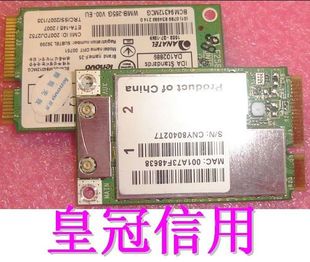
NOTE: Don't click on the image PCI Express Card image. It contains Chinese Ghostnet Malware that will turn your Mac (and only your Mac) into a Zombie botnet enabling a complete blackout or extortion of the power grid.

Additional keywords: NERC, FERC. SCADA. Project Grey Goose. Cyberwar. ISN. TASE.2

Best Linux Virtualization for Netbooks?

So I use my Lenovo Ideapad S10 as my main Linux box nearly 40% of the time. I've 1.5GB of RAM and 120GB drive so this a decent machine. My current setup is two Linux partitions, one for Ubuntu 9.04 and the other for Debian 5.0. Ubuntu is my production distro and Debian is for bleeding edge stuff. My main requirement is to run Linux VM's (of other distros than what I run on the host) because if I need to run Windows or Solaris or whatever I can connect to a remote system. For Linux systems I want "server virtualization" meaning I don't have to have a console up. Realistically there is no single solution that will meet my requirements, but here are my thoughts on the alteratives for running on a Linux Atom-based Netbook.

1) OpenVZ - this would be my first choice. Unfortunately there are only kernel for Ubuntu 8.04 LTS and Debian for the these and Ubuntu LTS is too old to work well for a desktop on netbooks. I have yet to get the Broadcom drivers working yet on Debian and the latest stable OpenVZ kernel patches are 2.6.18. I guess the real issue is if I could get the Broadcom drivers working on the stock kernel that would be the way to go.

2) VMware Player - I don't want to put VMWare Server 2.x on my laptop and this seems like the logical choice. I already have this for BSD or Windows.

3) lguest - this is something new that I've just discovered. Can I run a CentOS VM under this. Not sure.

I don't care for VirtualBox and Qemu is too damn slow. Is there anything else I'm missing?

Friday, December 19, 2008

Is conntrackd really pfsync+CARP for Linux?

Say it aint' so Joe, but conntrack-tools says it "provides and equivalent of OpenBSD's pfsync."
What can do the conntrack-tools for me?

Lots of cool things. conntrackd covers the specific aspects of stateful Linux firewalls to enable high availability solutions and it can be used as statistics collector of the firewall use as well. The command line interface conntrack provides an interface to add, delete and update flow entries, list current active flows in plain text/XML, current IPv4 NAT'ed flows, reset counters atomically, flush the connection tracking table and monitor connection tracking events among many other.
This is something I've been wondering about for a while and it looks like this project has been around since 2006.

Here is a presentation on the capabilities of this. There isn't much test data here, but based on the stats in the talk, the performance of conntrackd (my testing/production observations was done on similar hardware DL-145G3) look a significantly worse than FreeBSD/OpenBSD with PF+pfsync+CARP. Note that the CARP/VRRP functionality is performed by keepalived.

*BSD can be used in the Enterprise for high availability gigabit packet filtering, but it would be interesting to see if anyone is using iptables+conntrackd+keepalived for this?

Update
This presentation about a successful migration from Linux to OpenBSD confirmed my suspicions about conntrackd not being ready for prime time. And This USENIX article provided an interesting comparison between OpenBSD and Iptables.


Linux is, in general, more efficient than OpenBSD. In both router and bridge configurations, it spends less time forwarding packets. Furthermore, iptables filters packets more quickly than PF, with only one exception (in our testing): if the transport-layer protocol of the transit packet, say, UDP, differs from the specifiedtransport-protocol type of a sequence of rules—“protocol type” set to “TCP”in this example—PF ignores those rules and confronts the packet only with the rest of the set, acting more efficiently than Linux, which confronts the packet with all the rules in the set.

This feature of PF is very interesting. UDP-based attacks are very insidious, and most firewalls have rules to prevent many types of UDP datagram from accessing the network. Nevertheless, most traffic from and to a protected network is made up of TCP streams (protocols such as HTTP, SMTP, and FTP all use TCP). In such a case, PF may be more effective: it does not spend processing time comparing TCP packets with the set of rules destined to block UDP datagrams, avoiding delay in processing legitimate packets. Finally, unlike iptables, PF performs automatic optimization of the rule set, processing it in multiple linked lists [7, 8]. A way to optimize the search on the rule set for iptables is to resort to the “jump” parameter [18] for jumping to a subset of rules (i.e., a chain) reserved for TCP or UDP packets, depending on protocol type.


Of course even discounting performance, the iptables rulesets are much less elegant than ipf/pf.

Thursday, December 04, 2008

Fedora 10 on T-61 Passes the Sniff Test (But Fails the Virtualization Test)

Did the install from the LiveCD. First go around I had forgot to unmount /dev/sda1 (where I was going to install it) so it failed but on the 2nd try booted just fine. Installed Flash from the repositories. Added another repo so I Gstreamer could handle mp3 streams. Sound works. Haven't tried WPA but that should work too.

Still not as smooth as the last two (or three) Ubuntu releases for but still usable, but the two things I do like

1) Fedora GNOME install has mini-commander. Yeah!!!
2) Fonts are bigger for an old guy like me ;)

But easy virtualization (compared to Ubuntu) forget about it

No easy OpenVZ. KVM (which sucks with QEMU)/Virtual Machine Manager didn't work out of the box (or at least not in 5 minutes the way it does on Ubuntu) and no dom0.

Lame. I really wanted a Xen-friendly distro to dual boot for my Thinkpad, since Centos/RHEL kernel is so old it won't support the hardware.

Open Source Cliches of the Day

First it was ludicrous article Open source is dead long live open source (don't get me started about the notion that Open Source code is so good that it doesn't need support, put the crackpipe down!) and then Bejtlich Cited in Economist.

While kudos go out to Richard (and I'm quite jealous) about being cited in The Economist I wish it would have been about NSM and not Open Source:
One way for governments to do this [to become resilient to cyber attack], says Richard Bejtlich, a former digital-security officer with the United States Air Force who now works at GE, an American conglomerate, might be to make greater use of open-source software, the underlying source code of which is available to anyone to inspect and improve. To those outside the field of computer security, and particularly to government types, the idea that such software can be more secure than code that is kept under lock and key can be difficult to accept. But from web-browsers to operating systems to encryption algorithms, the more people can scrutinise a piece of code, the more likely it is that its weak spots will be found and fixed. It may be that open-source defence is the best preparation for open-source attack.
Besides being included in article on my non-favorite topic of late (cyber-anything makes me ill) I think Richard is repeating one (or maybe two) security cliches: the "more eyes mean greater security" and the oft-repeated negation of "security through security."

OpenBSD is not PHP.
Linux is not Apache.
Tomcat is not BIND.
Debian is not OpenSSH.
Fedora is not SELinux.
Firefox is not Ruby on Rails.

Each of these may or may not be "more secure" than the other--or compared to an individual development team within a vendor we know and love/hate.

Software security is about tools, talent, and techniques not whether code of open or closed. Developer culture and committed project leadership are what make software secure, not whether the code exposed to clueless masses to find security flaws. Furthermore, there is great diversity in code quality, development (and business/sponsorship) models among Open Source pojrects that make it very difficult to make these sort of generalizations about the security of Open Source, let alone the role of Open Source in "resisting a Cyberattack" and much better case could be made based about the Open Source network security toolset that Richard champions in thwarting attackers -- as opposed to the inherent robustness and integrity of the Open Source codebase. With the exception of the Intel community, how many government personnel (or their contractors) are spending time scrutinizing the Linux kernel source? Jakarta Struts?

Not too many, I would guess.

While I am certainly a huge advocate of Open Source (and have had the [mis]fortune of developing/operating Open Source-based security platforms performingcritical functionality within a large Enterprise to back it up) security would not be at the top of the list as the reason to develop on (or deploy) an Open Source stack. For me it is about control, customization, and cost. Probably in that order. Yes, transparency, can result in improved code security (meaning fewer vulnerabilities per line of code) and better decision making in terms of deciding when and whether to patch (if I can look at the diff I don't have to guess about the true impact of the cryptic Cisco/Microsoft advisory or worse) but this is only a potential that in many (perhaps) Open Source projects don't live up to in reality.

Saturday, November 15, 2008

Yet another reason why ramdisk distros rock

From tor-ramdisk


Tor-ramdisk is an i686 uClibc-based micro Linux distribution whose sole purpose is to securely host a Tor server purely in RAM. For those not familiar with Tor, it is a system which allows the user to construct encrypted virtual tunnels which are randomly relayed between Tor servers (nodes) until the connection finally exits to its destination on the internet. The encryption and random relaying resist traffic analysis in that a malicious sniffer cannot easily discover where the traffic is coming from or what data it contains. While not perfect in its efforts to provide users with anonymity, Tor does help protect against unscrupulous companies, individuals or agencies from "watching us". For more information, see the Tor official site.

The usefulness of a RAM only environment for Tor became apparent to me when Janssen was arrested by the German police towards the end of July, 2007. (You can read the full story in a CNET article.) While the police did not seize the computer for whatever reasons, they certainly could have. More typically, it would have been taken for forensic analysis of the data on the drives. Of course, if the computer housing the Tor server has no drives, there can be no question that it is purely a network relaying device and that one should look elsewhere for the "goods".

Sunday, November 09, 2008

Kiosk Mode, or why are all the cool Linux security tools on Fedora?

It's not that I have anything against Fedora, but for some reason I've never used it much, but I'm thinking I should wipe OpenSuSE on my 2nd partition and add Fedora (8 or 9?) because there seems to be a lot going on there. The most recent example is Fedora Kiosk Mode which is built on xguest and Linux namespaces (how many times can you say polyinstantiation?) GNOME Sabayon and SELinux of course to create "highly secure" (or at very least restricted environments) for public environments such as classrooms or public information kiosks. Cool stuff.

HT: James Morris

Saturday, November 08, 2008

Linux Auditing Tool Showdown: sectool v. ProShield


So I ran across ProShield on Complete Dose of Linux Poison and I was expecting good things by the writeup, but when I peeked inside the .deb I was shocked to see a 1000+ line shell script. Got a new test? Just tack in on the end of a monolithic script.

The horror. The horror.

Unless you are writing system startup scripts there is no reason anything should be written in shell that is longer than 10-20 lines.

(Having had to maintain thousands of lines of shell/sed/awk scripts that somebody else wrote.)

On the other hand sectool (which doesn't work out of the box with Ubuntu/Debian) does have some potential not only because it is written in a post-1970s scripting language (Python) but has a framework-plugin architecture where where individual test cases can be written in shell or Python.

Of course a limitation of both of these is that must be run locally to get results (I assume) making it very difficult to scan large numbers of systems -- unlike what you can do with Nessus compliance checks for UNIX.

Saturday, November 01, 2008

SELinux and a Xen Vuln (CVE-2008-1943) Adventure

Given products like VM Fortess and the SVirt project I ran across today, I've been curious about the impact of application sandboxing/mandatory access control regimes against attacks against/using VMs.

Luckily, I happened to run across Adventures with a certain Xen vulnerability (in the PVFB backend). Now I don't claim to be able to understand even 20% of this paper, but I was pleased to see the impact of SELinux on the attack against dom0. Very cool. Plus, unlike so much vuln work it talks about the limitations of exploits and avoids all the media whoring that tends to characterize so much vuln work these days and turns me off.


Using the above guidelines, the exploit has been built. When SELinux was in permissive mode, it worked properly, handing out a connect-back root shell. However, an unsettling message was logged:

SELinux is preventing /usr/lib/xen/bin/qemu-dm (xend_t) "execmem"

And indeed, the exploit failed when SELinux was in enforcing mode. It turns out that by default the ability to map anonymous memory with rwx protection is denied by SELinux.

Thus, the call to mmap in the return-into-libc from the previous subsection failed.

There are workarounds for "execmem" protection, dutifully explained in, but I did not nd any le that can be opened with write permission and executed in xend t domain6. So, a less ecient return-into-libc payload has been created that does not use mmap. It returns into PLT entry for execv. The arguments for execv must be rebuilt at a xed address. Using repetitive returns into "assign %eax from the stack; ret" and "stosl; ret" (these sequences must be present in the qemu-dm binary) it is possible to create a payload of size const+4*length of execv arguments.

Wednesday, October 29, 2008

Etch and a Half and Python SELinux


So by about 10 o'clock on another day off I finally managed to stop checking my work email. Something to feel proud off. I guess I knew it was time when I sent somebody at work a sarcastic email saying I couldn't answer their email because I was on PTO.

And after getting back from having another freaking tire replaced (thank God for Sears Road Hazard) I actually managed to get some computer time since my daughter is feeling better.

Since times are so tough I canceled my VPS, so I've been using Google sites instead and I started a new Linux Security Page to cover stuff on SELinux and AppArmor, both of which I've wanted to play around with for a long time. Also added some new virtualization projects to my watch list which uses the "lists" feature of Google Sites. Very nice.

I don't have any CentOS boxes handy at home but SELinux is available in Debian 4.0 so I gave the latest release a try.

Wow, the python wrappers for SELinux are so cool:


debian4-1008:~# python
Python 2.4.4 (#2, Apr 15 2008, 23:43:20)
[GCC 4.1.2 20061115 (prerelease) (Debian 4.1.1-21)] on linux2
Type "help", "copyright", "credits" or "license" for more information.
>>> import selinux
>>> selinux.is_selinux_enabled()
1


Sure, whatever.

Saturday, October 11, 2008

Apache2 Forward Proxying with Digest Authentication


Since WPA is so flaky under Linux with the Westel's provided by Verizon DSL I often connect to my kid's wireless network which is sort of wide open. When I connect I've been using the built-in SOCKS proxy in SSH but I've started using Opera (9.6) since the font rendering is a little nicer on the eyes, but it doesn't support SOCKS?

Oh I know I could come up with selective authorization under squid depending on if I login or the kids do, but I'm too lazy for that so I decide. But to find an HTTP proxy other than squid that supports authentication and is available as a Debian package. Pretty tough. Zorp looked interesting but too painful.

So I've used Apache as a reverse proxy but never a normal forward proxy. Maybe all the cool authentication methods that work with Apache would work with mod_proxy?

Well I had nothing better to do while waiting for my daughter to fall asleep tonight. Damn red velvet cake my wife made had her totally wired. And I'm shocked as hell I got all this working, since I'd never even done Digest Authentication before on anything.

These are the modules you will need enabled although most of these were dependences: mod_proxy, mod_digest I think were the only ones I added.

nikolas:/etc/apache2/mods-enabled# ls
alias.load autoindex.load proxy.conf
auth_basic.load cgid.conf proxy_connect.load
auth_digest.load cgid.load proxy_http.load
authn_file.load dir.conf proxy.load
authz_default.load dir.load setenvif.load
authz_groupfile.load env.load ssl.conf
authz_host.load mime.load ssl.load
authz_user.load negotiation.load status.load


The Gotchas
  • You have to open up two listening ports, one for HTTP and the other for SSL. I'm using 1080 and 1083. You then specify this in the browser proxy config. You have to use SSL for some reason, weird. Update: actually if you use AllowCONNECT 80 443 you can listen on a single port.

  • The Apache documentation is either wrong or Debian is broken. You do use AuthUserFile, not the one it say in the mod_digest documentaiton

  • The realm you specify in the apache config has to match what you specify with htdigest.

    So this works on Firefox 3.0.3 and Opera 9.6 but SSL is not properly forwarded with IE7 despite applying the MSIE BrowserMatch

    Here are some the errors I had along the way...

    [Sat Oct 11 19:46:34 2008] [warn] proxy: No protocol handler was valid for the URL sitecheck2.opera.com:443. If you are using a DSO ve
    rsion of mod_proxy, make sure the proxy submodules are included in the configuration using LoadModule.

    [Sat Oct 11 20:18:48 2008] [crit] [client 192.168.10.128] configuration error: couldn't perform authentication. AuthType not set!: ht
    tp://gmail.com/

    [Sat Oct 11 20:37:59 2008] [error] [client 192.168.10.128] Digest: user `mfranz' in realm `Blah' not found: http://gmail.com/

    And the Error I get on IE7

    [Sun Oct 12 08:12:45 2008] [error] [client 192.168.10.129] Digest: uri mismatch
    - does not match request-uri
  • Saturday, September 27, 2008

    Cobbler & Func


    Having devoured all the debate coverage I ran across Cobbler on Freshmeat the morning:


    Cobbler is a Linux installation server that allows for rapid setup of network installation environments. With a simple series of commands, network installs can be configured for PXE, reinstallations, media-based net-installs, and virtualized installs (supporting Xen, qemu, KVM, and VMware Server). Cobbler uses a helper program called 'koan' (which interacts with Cobbler) for reinstallation and virtualization support.


    And func, almost makes me want to be responsible for a few hundred *NIX boxes, again.

    Saturday, September 13, 2008

    Uck: Could have used this 3 years ago


    I can't honestly say I was as productive as I should of been my last year at Cisco, but one of the things I did accomplish was porting our Knoppix based Security Testing LiveCD to Ubuntu. So I became intimately aware of the process of building LiveCDs and how painful the process can be. I did write some scripts to automate the process but Ubuntu Customization Kit would have been very useful. At least based on the description. Haven't tried it yet.

    Thursday, September 04, 2008

    Dell Netbook is finally here!


    It's called the Inspiron Mini 9. Of course there is no way in hell I could justify getting one. The config above cost $539 (sans postage)

    Funny the white one costs $25 more than the black one -- the exact opposites of MacBooks.

    When Obama brings the troops home and can stop spending $10 billion/month so we can get a tax cut (or equally unlikely, Palin can give us all some of her oil money) I can use that money to get one.

    Sunday, August 10, 2008

    For the price of registering my 2001 Accord in Maryland I could get...


    I really need to stop reading LinuxDevices because I continue to be intrigued by Netbooks although there is no way in hell I'm getting another laptop.

    But on Amazon for $399... ASUS Eee PC 900 16G (8.9" Display, Intel Mobile CPU, 1 GB RAM, 16 GB Solid State Drive, Linux, 4 Cell Battery) Galaxy Black.

    1 GB, 16 GB Solid State... sweet!